

star The Project

A Zero-Downtime Migration for 350+ Users

Saigon Technology decides to migrate its entire internal system from Google Workspace to Microsoft 365. Every email, file, and meeting had to move smoothly, without disrupting daily operations. This case study highlights Saigon Technology’s structured approach to transforming an organization’s collaboration ecosystem.

Key Goals: Migrate all business data for over 350 users from Google Workspace to Microsoft 365 with minimal disruption; Configure core services; Keep data integrity, access permissions, and folder structures; Enable secure identity and access management across the new environment; Provide user enablement and post-migration support for seamless adoption.

Share
Service
Service
IT Services
Project Duration
Project Duration
5 months
Key Achievement
Key Achievement
Migrate business data for 350+ users from Google Workspace to Microsoft 365
Google Workspace to Microsoft 365 Migration
The organization successfully moved to Microsoft 365 with secure data management, better communication, and more efficient collaboration.
Country Flag
Users reported smoother workflows and quicker access to shared resources in the new environment.
star The Feature

Main Features

Main Features
Process Icon
Email and Calendar Migration: Migrating all Gmail mailboxes and Google Calendar to Exchange Online.
Process Icon
File and Document Migration: Moving documents from Google Drive to SharePoint Online and OneDrive for Business, maintaining access permissions and collaboration settings.
Process Icon
User and Group Management: Synchronizing user accounts and groups from Google Workspace to Microsoft Entra ID, including new account creation and permission assignment.
Process Icon
User Training and Support: Providing detailed training sessions and start guides to help users quickly adapt to the Microsoft 365 environment.
star The Process

Key Milestones

Milestone Icon

01

Assessment & Planning

arrow
Milestone Icon

02

Building a Dedicated Team

arrow
Milestone Icon

03

Pre-Migration Preparation

Milestone Icon

04

Data Migration Process

arrow
Milestone Icon

05

Post-Migration Validation

arrow
Milestone Icon

06

Post-Migration Reporting

star The Challenge

Overcoming Major Challenges

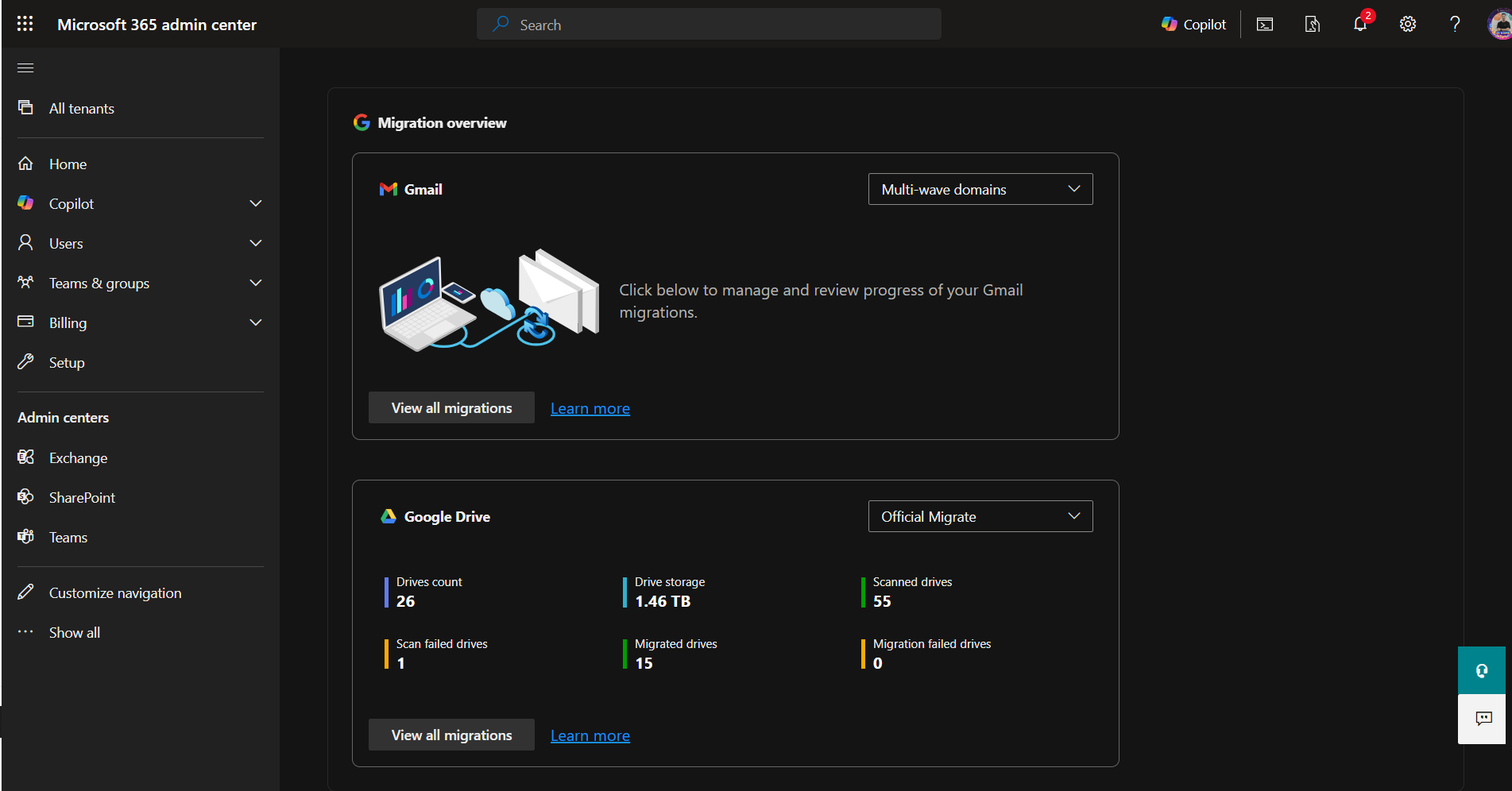
Microsoft 365 Migration Overview Interface

Migration Overview Interface in Microsoft 365 Admin Center (This tool is used to migrate data from Google Workspace to Microsoft 365).

It includes two main migration sections: Gmail to Microsoft Exchange 365 and Google Drive to SharePoint or OneDrive.

Microsoft 365 Migration Overview Interface

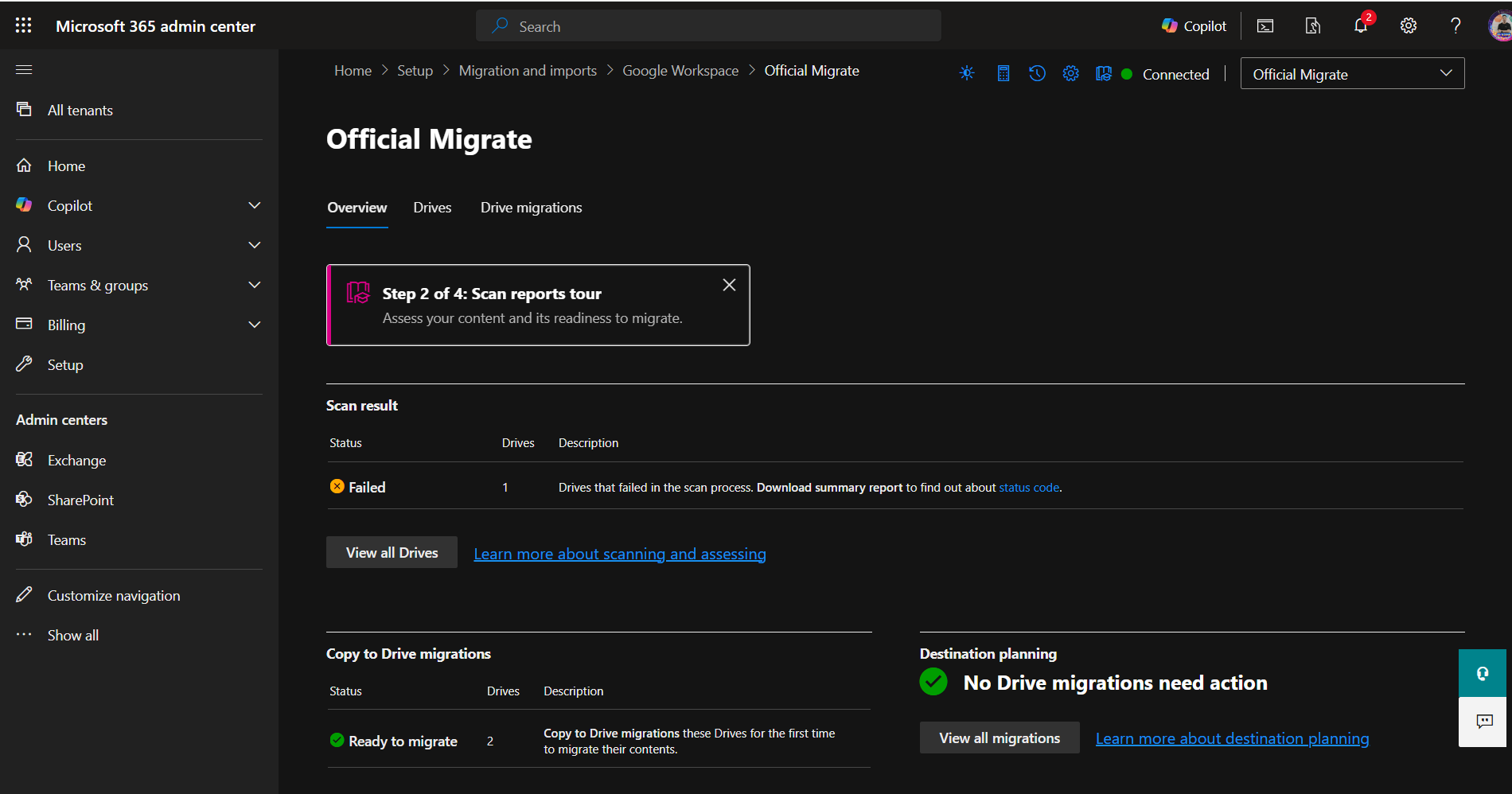
Pre-Migration Data Validation: Google Drive to SharePoint or OneDrive

The tool allows users to scan data from the source (Google Drive) to verify file types, sizes, names, and other details. It also displays error notifications (if any) so users can fix issues or re-verify the source input before starting the migration to ensure a smooth transfer.

Pre-Migration Data Validation: Google Drive to SharePoint or OneDrive

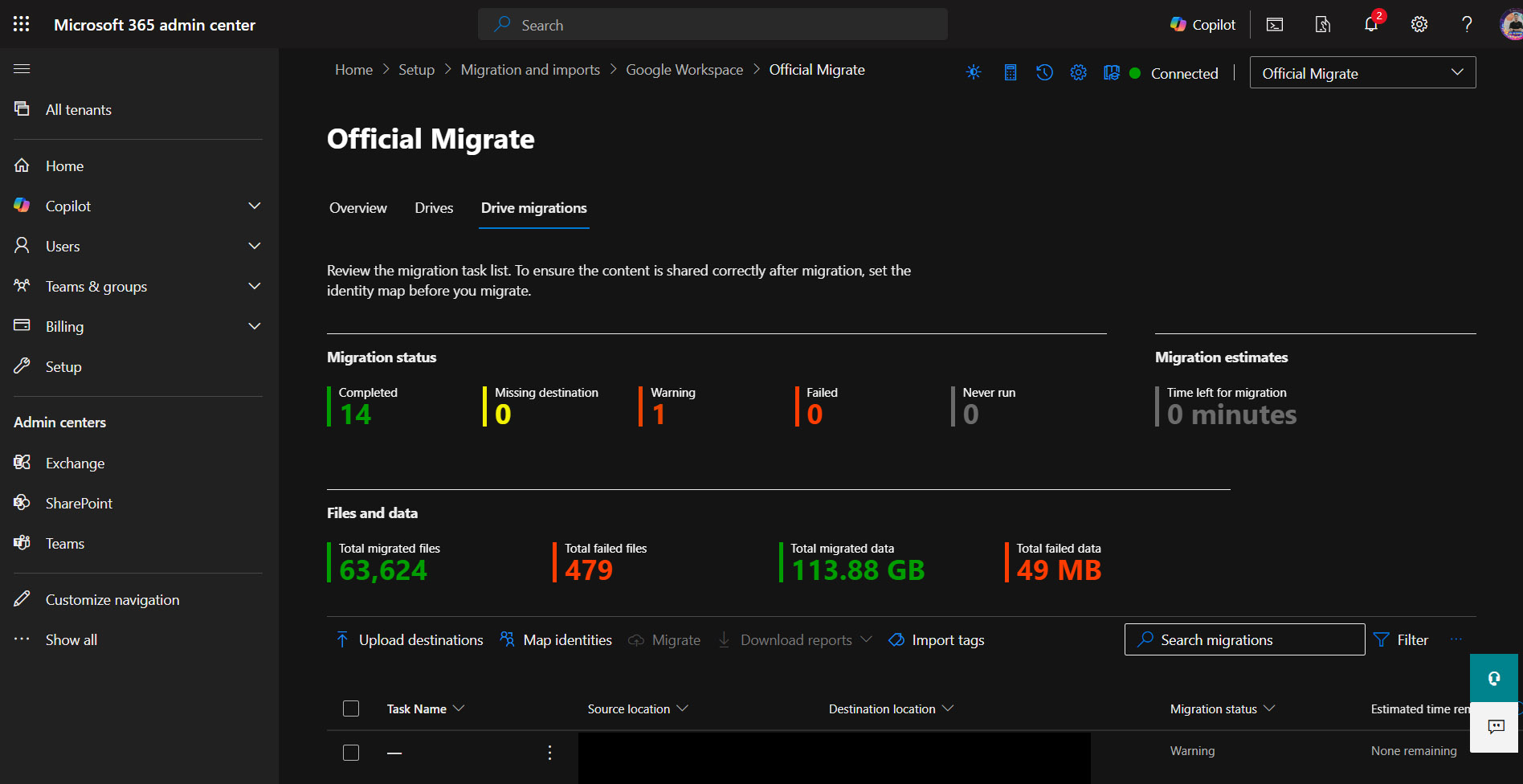
Post-Migration Reporting and Issue Resolution

After the migration is complete, the dashboard shows an overview of the process.

Users can download detailed reports for each migration job to check for any file errors. If issues are found, the team can quickly fix them and rerun the migration when needed.

Post-Migration Reporting and Issue Resolution

CHALLENGES

  • star Complex Data Synchronization: Maintaining data integrity between two distinct ecosystems.
  • star Minimal Business Disruption: Executing the migration process without significant disruption.
  • star Consistent access permissions: Keeping consistent access settings across all accounts.
  • star User Resistance: Some users may find it challenging to adapt to the new interface and workflows.
  • star Email and attachments migration: Especially for large emails.
  • star Function configuration: Ensuring existing Google Workspace functions are compatible on M365.

SOLUTIONS

  • star A phased migration plan: Conducted tests on a small group of users and used specialized migration tools to ensure data accuracy and integrity before full deployment.
  • star A step-by-step rollout: Minimized downtime and kept business operations running smoothly throughout the migration.
  • star Automated tasks with PowerShell Scripting and Microsoft Graph API: Maintained consistent access settings, verified through post-migration QA.
  • star User training and 24/7 support: Accelerated adoption and reduced productivity loss.
  • star Migrated all Gmail and Google Calendar data to Exchange Online: Keeping folder structures and attachments intact.
  • star Mapped and tested Google Workspace functions with Microsoft 365: Custom settings and automation scripts maintained workflow consistency and prevent functionality gaps.
star The Team

BUILDING A TEAM

Result Icon
Project Manager: managed timelines, risks, and progress.
Result Icon
Microsoft 365 Solution Engineer & IT Support: designed and built the new system architecture. Handled user training and post-migration assistance.
Result Icon
Quality Assurance (QA): validated every migrated element for accuracy and integrity.
BUILDING A TEAM
star The Technology

Tools and Technologies Used

Utilizing built-in Microsoft 365 tools and specialized third-party tools for data migration.

Automating complex tasks such as licensing, configuration, especially customizing and handling specific cases related to access and sharing permissions.
For synchronizing identities from the existing environment or creating new users on EntraID.
Cloud email and calendar service, ensuring full migration of Gmail mailboxes and Google Calendar.
Team collaboration and document management platform, serving as the destination for files from Google Drive, ensuring folder structures and, critically, preserving original sharing permissions.
Personal cloud storage, where users' private files from Google Drive are migrated, also ensures individual access rights.
Unified communication and collaboration platform, deeply integrated with SharePoint and OneDrive, supporting the maintenance of workflows post-migration.
Comprehensive solutions for data lifecycle management, ensuring regulatory compliance.
star The Reporting

Post-Migration Reporting and Quality Assurance

Reporting data from migration tools:

  • Migration tools automatically generated detailed reports on the migration status of each item (emails, files), the number of successful/failed items, and any errors encountered during the process. This data provided quantitative insights into migration progress and performance.

Reports from QA during post-migration data validation:

  • The QA team performed manual and automated checks after migration to verify the integrity, access permissions, and structure of the data (emails, documents on SharePoint/OneDrive). These reports documented the test results, identified any discrepancies, and confirmed the final data quality.

Related Projects

AI and ML
Optical Character Recognition Document

Optical Character Recognition Document

Every day, a vast quantity of textual information is written or printed on tangible paper, such as study-related messages, invoices, periodicals, books, ads, and so on. Paper contamination is a major issue in the corporate world and has obvious environmental consequences.
Detail arrow
Business
ARB AUSTRALIA

ARB AUSTRALIA

The client requested a browser-based and scan gun-compatible software be developed for usage in the warehouse.
Detail arrow
Business
AWC

AWC

Mobile Team Manager is an online management project to schedule jobs and control resources.
Detail arrow
Business
COST MODULE

COST MODULE

Cost Module allows dealers to set prices, fees, and extra features for each window project, as well as communicate with customers and take orders. Using the resources given by the Cost Module.
Detail arrow
Business
CYCLE OF CHANGE

CYCLE OF CHANGE

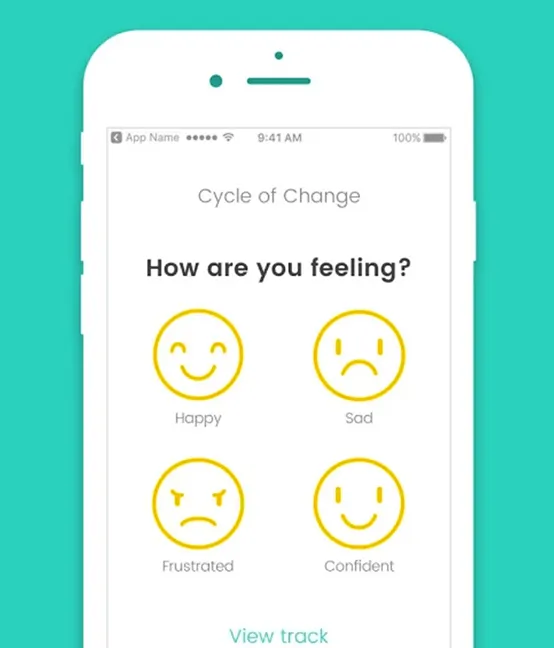
The customer still wasn’t clear about the requirement, we had to help them to clarify.
Detail arrow
Business
Facilitation Tool

Facilitation Tool

This case study focuses on the web development of an advanced online graphic editing application for a respected Australian client. The software had several cutting-edge capabilities, such as instantaneous synchronization, full support for Amazon Web Services (AWS), and a serverless design.
Detail arrow
Business
HANDHELD APP

HANDHELD APP

The handheld app for Apple iPhone, iPod, and iPad devices has been developed by Idealpos to enhance customer service provided by staff. Providing users with advanced functionalities to place their own orders, this application is a convenient time-saving tool that can be carried in their pocket.
Detail arrow
Business
iBiz

iBiz

Engagement model: fixed price and ongoing support.
Detail arrow
QA Testing
ITS – INDIVIDUAL TAX SYSTEM

ITS – INDIVIDUAL TAX SYSTEM

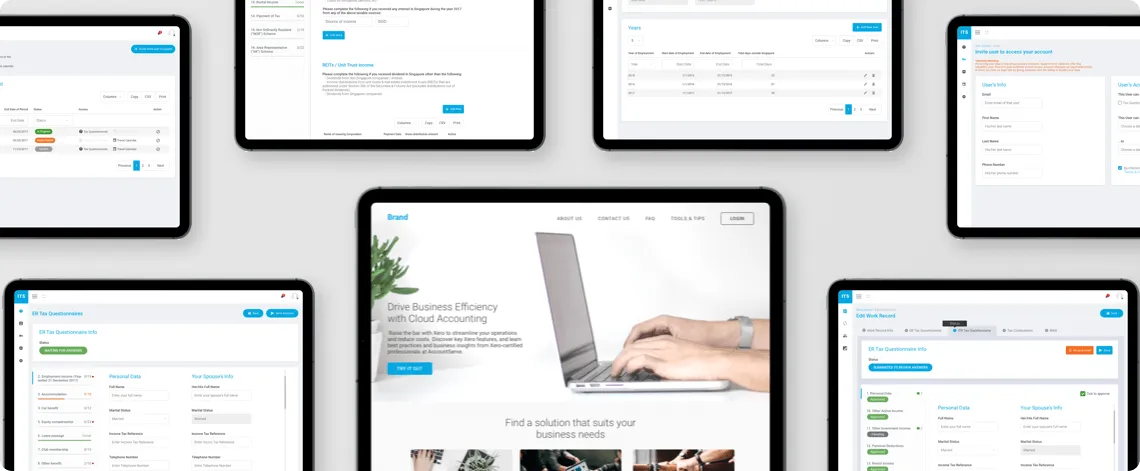
The INDIVIDUAL TAX SYSTEM is a CRM-integrated solution. It offers advanced permission controls to manage field visibility. They can enable or disable access based on user roles.
Detail arrow

See What We'd Build with AI

From demo and architecture to compliance, our engineers guide every step. Let's talk about your project.

    Contact Message Box

    Schedule a Demo with Our Industry Experts

    Book a free 30-minute call

    • See case studies aligned with your requirements
    • Validate our industry experience
    • Confirm technical fit for your project
    Schedule a Demo

      Your RFP, reviewed by experts in 24 hours

      AI-accelerated path from brief to working prototype. Engineers, not sales.
      • Clickable prototype of your core user flow
      • Workflow visualization mapping the full system
      • Architecture direction covering stack, integrations, and scale
      • Technical recommendation call with our engineering team
      Free Demo Campaign