




What It Actually Takes to Build a Health Screening & Lab Integration Platform

 Updated on Jun 11, 2026
Most healthcare product teams underestimate lab integration. They treat it as a connection task. It is not.
Connecting a health screening platform to real lab systems is one of the most complex problems in clinical software. You are bridging two worlds that were never designed to talk to each other: modern web applications on one side, legacy lab information systems (LIS) on the other.
Our team has built this type of platform across multiple deployments since 2022. Here is what we have learned.
This article shares general engineering experience, not legal or clinical advice. Confirm regulatory requirements with your compliance team or qualified counsel for your specific jurisdiction.
HL7 Is the Standard. That Does Not Make It Simple.
HL7 v2.x is a framework, not a fixed protocol. Every vendor implements it differently. The same ORU_R01 message, the one that carries lab results, can look completely different depending on whether you talk to a Roche, Sysmex, or a regional hospital’s homegrown LIS.
If you want a broader primer on how HL7 and FHIR fit together across the healthcare stack, our HL7 & FHIR integration guide covers the fundamentals before getting into implementation specifics.
Why Every Lab Vendor Implements HL7 Differently
In one multi-location clinic deployment, we connected to three separate lab systems. Each used a different dialect:
- One vendor sent results inside a custom Z-segment we had to reverse-engineer from outdated documentation
- Another used non-standard OBX field sequences that broke our initial parser
- The third had a 48-hour batch delivery window instead of real-time transmission
Each integration required a different approach. There is no single HL7 parser that handles all of them cleanly out of the box. This is the kind of systems integration work that rarely appears on a roadmap until it is already behind schedule.
What This Means for Your Timeline
Budget 3 to 4 weeks per lab vendor for integration work. Not 3 to 4 days.
Always request sample HL7 message files before signing contracts. If a vendor cannot produce sample messages, that is a warning sign. Your team will spend weeks guessing at their implementation instead of building.
The Real Complexity Is Result Parsing, Not Connectivity
Getting the message across is step one. Making sense of it is step two. Step two is harder.
LOINC Mapping and the Normalization Layer
Lab results carry LOINC codes that identify specific test types. In theory, LOINC is universal. In practice:
- Not all lab vendors code their tests consistently
- Reference ranges vary by lab equipment and patient demographics
- Critical value thresholds differ across institutions
For the HealthCare Connect platform, our team built a result normalization layer that sits between the HL7 receiver and the database. It maps incoming LOINC codes to internal test definitions, flags values outside reference ranges, and escalates critical values through a separate alerting queue. From there, normalized results flow cleanly into the EHR system without duplicate manual entry.
That layer took roughly six weeks to build and tune. Nobody sees it from the outside. But it is what makes the clinical workflow usable, not just functional.
Where FHIR Fits (and Where It Does Not Yet)
A common question: if FHIR is the modern standard, why are we still parsing HL7 v2.x?
Because most lab interfaces we touch are still v2.x. In practice, HL7 v2 handles the LIS interface, while FHIR is increasingly the layer we expose to apps and patient access, with resources like DiagnosticReport, Observation, and ServiceRequest, partly driven by 21st Century Cures patient-access expectations. FHIR sits above the v2 interface today. It does not replace it.
Critical Value Flagging Logic
Critical value flags cannot be treated as a standard notification. They need their own processing queue with independent retry logic and delivery confirmation.
If a critical flag gets dropped in a general notification backlog, a clinician may not see it in time. That is not a UX problem. That is a patient safety problem.
Critical Value Alerting Is a Compliance Requirement, Not a Feature
When a lab result comes back critically abnormal, documented notification is not optional. Many jurisdictions require evidence that a critical result reached a clinician within a specific timeframe.
CAP (College of American Pathologists) accreditation standards address this directly. HIPAA does not mandate specific timeframes, but malpractice exposure makes the timeline a practical requirement anyway.
The Multi-Channel Alert Architecture We Use
Our alert flow for critical values follows this sequence:
- HL7 message arrives and passes through the normalization layer
- Critical flag is detected and written to a separate escalation queue
- Primary alert fires: in-app notification + SMS to the ordering physician
- If unacknowledged within 15 minutes, secondary alert fires to clinic admin
- All alert events log with timestamps and delivery receipts
The audit log is not optional. In one deployment, that log prevented a liability issue when a staff member claimed they were never notified. The system had a timestamped SMS delivery receipt that showed otherwise.
One caveat on SMS: delivery is not guaranteed. We added WhatsApp as a secondary channel precisely because it provides read receipts. SMS is fire-and-forget. For high-stakes clinical alerts, delivery confirmation matters more than channel simplicity.
QR Check-in and Payment Reconciliation: The Edge Cases Add Up
QR-based check-in looks simple until you add payment reconciliation to it. At 50,000 patient interactions per month, edge cases are not rare events.
Where Corporate Billing Breaks Automated Logic
Consider this scenario: an employer books a corporate health screening package for their staff. An employee checks in via QR code. The attending physician adds an on-site test not included in the original package. The invoice must now reflect the actual tests performed, not the booked package. The employer, not the patient, receives the bill.
Multiply this by hundreds of corporate clients with different billing agreements and package structures.
Our reconciliation engine handles:
- Package-to-test mapping with real-time deviation tracking
- Split billing between individual and corporate payer profiles
- Stripe integration for consumer-facing payments
- A manual override queue for exceptions outside automated rules
Why 100% Automation Is the Wrong Target
Automated reconciliation handles about 92% of cases cleanly. The remaining 8% require human review.
Edge cases in billing are not bugs. They are business logic that changes faster than code. A well-designed exception queue is more reliable than over-engineered automation.
HIPAA and PDPA Are Not the Same Problem
Platforms serving patients across the US and Southeast Asia operate under two separate regulatory regimes. Most teams treat compliance as one item. It is not.
Three Architectural Differences That Matter
| Requirement | HIPAA (US) | PDPA (Thailand / SEA) |
| Data residency | Not mandated by law | Required for certain data categories |
| Breach notification | 60 days | 72 hours (“without undue delay”) |
| Patient deletion rights | Limited | Stronger, must support surgical deletion |
The deletion requirement deserves attention. PDPA-compliant deletion cannot simply flag a record as inactive. It must remove personal data in a way that does not break referential integrity in clinical records. If your data model was not designed for this from the start, retrofitting it is expensive.
For teams navigating HIPAA compliant software development, the architecture decisions that affect compliance start well before any code is written. The same applies to PDPA.
How We Structure Deployments Across Markets
We run separate infrastructure configs for US and SEA deployments:
- US clients: AWS US-East with HIPAA Business Associate Agreement (BAA)
- SEA clients: AWS Singapore, IMDA-compliant, Azure SEA where needed
The compliance posture is a design decision, not a legal checkbox to add later. We bring it into architecture planning on day one.
For a deeper look at how we approach healthcare data security across infrastructure layers, access control, and audit trails, that post covers the full picture beyond what a single integration project can show.
Two Things That Always Take Longer Than Planned
After multiple healthcare platform builds, two delays show up on every project.
Lab IT coordination. Your integration timeline is controlled partly by the lab’s IT team, not yours. They have their own maintenance windows, security reviews, and approval chains. Build a 4 to 6 week buffer specifically for lab-side delays. Separate this from your development timeline so it does not compress your sprint capacity.
Clinician behavior versus user research. In one deployment, physicians ignored the in-app notification panel entirely. They relied on SMS. We had designed the alert priority logic around the in-app panel based on user research. We rebuilt it based on observed behavior after go-live.
Plan a 4 to 6 week post-launch tuning period before calling any clinical workflow finished. Behavior in a real clinical environment differs from behavior in user testing.
The Database Architecture That Holds Under Real Clinical Load
This is the stack we have stress-tested across production deployments:
| Database | Role |
| PostgreSQL | Transactional patient data: appointments, payments, consent records |
| MongoDB | Flexible health data: screening forms, wearable logs, lifestyle surveys |
| Redis | Real-time queues for live notifications and alert processing |
| Elasticsearch | Fast search over encrypted health records |
This is not the only valid architecture. But it is one we have tested under 50,000+ monthly patient interactions, and it holds. For programs that fold in remote patient monitoring, the same MongoDB layer absorbs continuous wearable and device data without reshaping the transactional model.
For storage, we use AWS S3 and Azure Blob for PDFs, lab reports, and DICOM files with signed URLs and strict access control.
Building a health screening and lab integration platform is not a standard web application project. It requires clinical domain knowledge, integration expertise, compliance awareness, and willingness to tune workflows based on real-world usage after launch.
Teams that treat lab integration as a late-stage technical task consistently run into serious problems by month three. The ones that succeed plan for it from the architecture phase and budget for the coordination delays that come with it.
If you are evaluating a software partner for this kind of work, our healthcare software development practice covers the delivery model, tech stack, and compliance standards we apply across projects.
FAQs
How long does it take to integrate with a lab’s LIS?
Budget 3 to 4 weeks of development per lab vendor, plus a separate 4 to 6 week buffer for the lab’s own IT coordination (maintenance windows, security reviews, approvals). Two labs that both “support HL7” can still require very different timelines.
Why do two labs using HL7 still need different integrations?
HL7 v2.x is a framework, not a fixed protocol. Vendors use custom Z-segments, non-standard OBX field sequences, and different delivery models (real-time vs batch). No single parser handles all of them cleanly, so each interface needs its own mapping.
How are critical lab results flagged and escalated safely?
Critical values should run through a dedicated escalation queue with independent retry logic and delivery confirmation, not a general notification backlog. A multi-channel sequence (in-app plus SMS, then a secondary alert if unacknowledged) with timestamped audit logging protects both the patient and the provider.
What changes when a platform must meet both HIPAA and PDPA?
They are different problems. PDPA can require data residency, a 72-hour breach notification window, and stronger deletion rights, while HIPAA allows 60 days and more limited deletion. Surgical deletion that preserves referential integrity has to be designed in from the start.
Should lab-result and billing reconciliation be 100% automated?
No. Automation handles roughly 92% of cases; the remaining ~8% are business logic that shifts faster than code. A well-designed manual exception queue is more reliable than trying to automate every edge case.


Related articles
Cloud Computing in Healthcare: Technology Impact on the Industry
 Thanh (Bruce) Pham - CEO of Saigon Technology
  13 Jun 2024
What is the Importance of Using Cloud Computing in the Healthcare Sector?
13 Jun 2024 
Custom Hospital Apps vs. Off-the-Shelf Healthcare Solutions
01 Mar 2024 
Benefits of a Health App for Patients & Doctors
12 Jun 2024 
EHR Software Development: A Practical Guide for Healthcare Organizations
30 Jan 2026 
Healthcare Application Testing: A Practical Multi-Market Guide (2026)
09 Feb 2026 
Mental Health App Development: A Complete Guide for 2026
11 Apr 2026 
Healthcare Data Security: Threats, Best Practices & Global Compliance Guide
22 Apr 2026 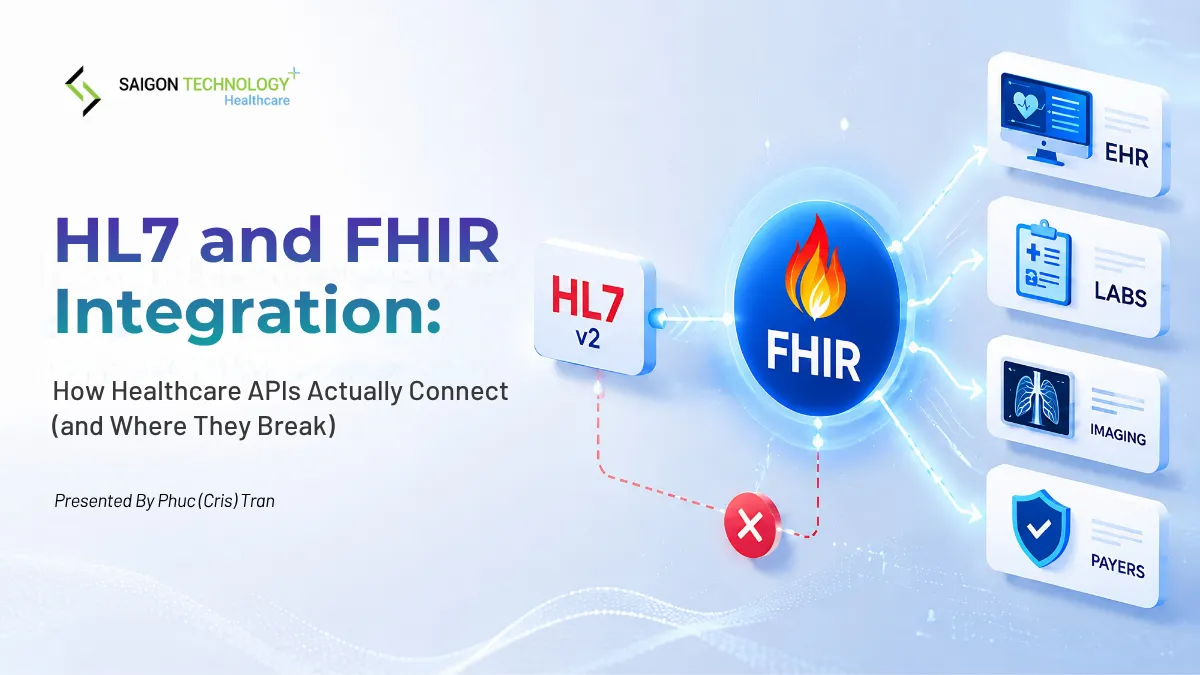
HL7 and FHIR Integration: How Healthcare APIs Actually Connect (and Where They Break)
20 May 2026 
Digital Transformation in Healthcare: A Complete Guide (2026)
25 May 2026