Building a healthcare mobile app is not the same as building a consumer app. The moment your app handles protected health information (PHI), the entire stack changes: encryption at rest and in transit, audit logging on every data access event, medical category review on the App Store and Google Play, and cloud infrastructure covered by a signed Business Associate Agreement (BAA). Add HIPAA, GDPR, FDA SaMD rules, and EHR integration on top of that.
This guide draws on 170+ mobile projects shipped at Saigon Technology. It covers app categories, must-have features, the seven-step development process, compliance across six markets, tech stack, cost ranges, and how to choose the right vendor.
What Is Healthcare Mobile App Development?
Healthcare mobile app development is the process of designing, building, and maintaining native iOS/Android or cross-platform apps that handle PHI, support clinical workflows, or enable patient engagement directly on-device.
The key difference from a generic mobile build: compliance is not a feature you add later. Encryption, access controls, audit logging, and BAA-bound infrastructure must be baked into the architecture from sprint one. An app that handles PHI without these controls is not a healthcare app. It is a liability.
The 2026 Healthcare Mobile App Market: Context and Emerging Trends
Market Size and Trajectory
The global mHealth market is projected to exceed $86 billion by 2030 at 14.8% CAGR (Grand View Research, 2024). Statista estimates 860 million+ digital health users worldwide by 2026, led by North America and Western Europe.
Three factors are driving this growth: post-pandemic telehealth normalization, CMS reimbursement expansion for remote patient monitoring, and rising smartphone adoption among older adults.
What Is Changing in 2026
Generative AI in clinical workflows. AI that auto-drafts SOAP notes and discharge summaries from patient-clinician conversations is now in production at US health systems. The key compliance question is how to handle audio recordings under HIPAA and state wiretapping laws.
Expanded CMS reimbursement for RPM. Updated 2026 rates for CPT codes 99453, 99454, 99457, and 99458 make remote patient monitoring a reliable revenue line for primary care, driving demand for wearable-connected mobile apps.
FDA SaMD framework updates. The FDA Digital Health Center of Excellence continues refining classification criteria. If your app influences clinical decisions, know your regulatory pathway before development starts.
Tighter App Store and Play Store privacy disclosures. Apple and Google now require accurate health data declarations at the listing level. Inaccurate disclosures have led to app removals, a go-to-market risk that engineering and legal must align on early.
What This Means for Product Decisions
| Design for | Design around |
| AI-assisted clinical documentation | Audio recording without consent frameworks |
| Wearable and IoT data ingestion | Third-party SDKs with unclear data handling |
| RPM billing workflows (CMS CPT codes) | Features that trigger unexpected SaMD classification |
A compliance issue caught in week two costs a sprint. The same issue caught at submission costs months.
Types of Healthcare Mobile Apps
Healthcare mobile apps fall into five categories. Knowing which one fits your project determines the regulatory pathway from day one. Here are the key categories of healthcare apps that are driving development in 2026:
1. Patient-Facing Apps
These apps connect patients directly with their healthcare journey. Common types include:
- Appointment Booking Apps: Allow patients to schedule, reschedule, and receive reminders for medical appointments.
- Medication Management Apps: Help patients track prescriptions, set medication reminders, and monitor adherence.
- Health & Wellness Apps: Focus on lifestyle habits such as steps tracking, nutrition, and sleep, with lower regulatory burdens if no PHI (Protected Health Information) is involved.
- Women’s Health Apps: Used for cycle tracking, pregnancy monitoring, and symptom logging.
- Mental Health Apps: Offer CBT tools, mood tracking, guided therapy sessions, and crisis support (e.g., Headspace, Talkspace).
- Chronic Disease Management Apps: Tailored for long-term conditions like diabetes, hypertension, and COPD, combining medication reminders, symptom logging, and check-ins from healthcare providers.
- Health Education Apps: Provide post-discharge instructions, pre-procedure guides, and educational content to patients when needed.
- Digital Therapeutics: Software-based interventions for chronic diseases, behavioral health, and rehabilitation.
2. Clinical and Provider Apps
Designed for clinicians rather than patients, these apps must prioritize speed and accuracy. Key examples include:
- Electronic Health Records (EHR) Access: Allow clinicians to view and update patient records securely.
- Clinical Decision Support Apps: Provide drug interaction checks, diagnostic guidance, and protocol alerts in real-time during patient care.
- e-Prescribing Apps: Enable digital prescriptions to be sent directly to pharmacies, often integrated with pharmacy formulary data.
- Voice-to-Text Clinical Documentation: NLP-powered tools that help clinicians document notes quickly.
- Patient Management Systems: Used for care coordination, managing patient populations, care plans, and transitions of care.
3. Telemedicine Apps
These enable remote consultations between patients and healthcare providers. Features typically include:
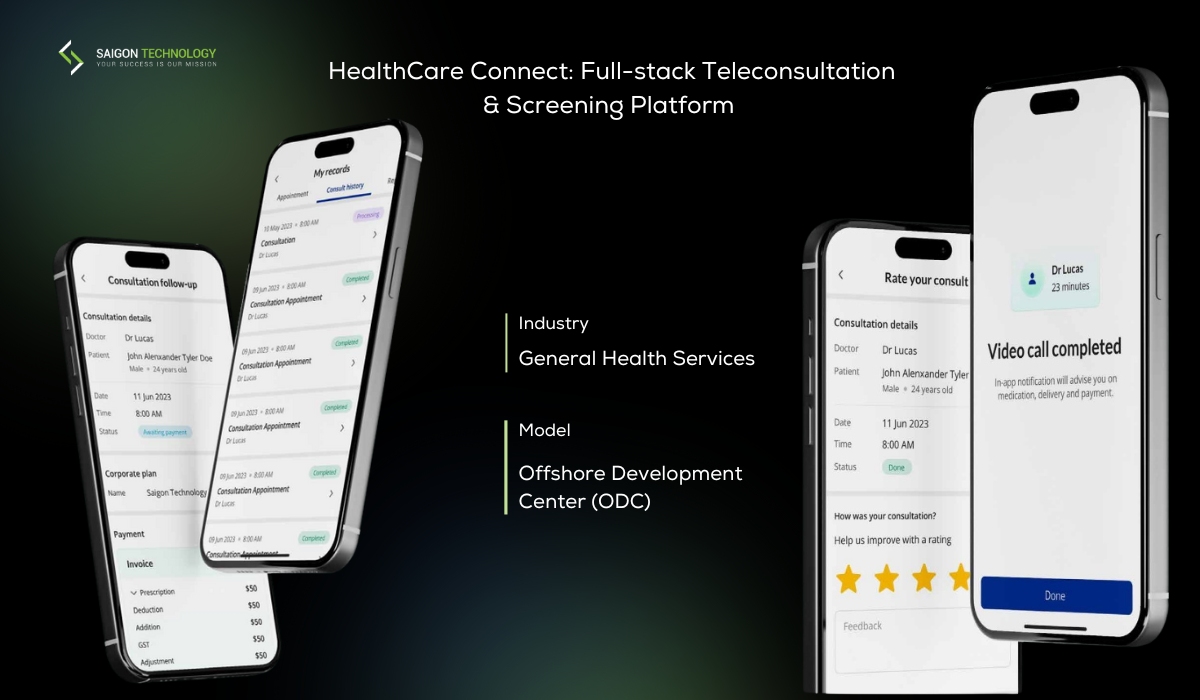
- Real-time Video Consultations: Encrypted video calls for secure communication between patients and providers.
- Asynchronous Messaging: Allow non-urgent communication between patients and providers.
- File Sharing: Patients can share medical images, lab results, and other documents with healthcare professionals.
- Payment Integration: For patients to pay for out-of-pocket sessions directly through the app.
Telemedicine apps must comply with HIPAA and follow state-level telehealth regulations, which may vary by region.
4. Remote Patient Monitoring (RPM) Apps
RPM apps collect health data from patients between clinical visits, often using wearable devices such as:
- Continuous Glucose Monitors, Blood Pressure Cuffs, and Pulse Oximeters: These apps stream real-time health data to clinicians.
- Real-Time Alerts: Notify healthcare providers of abnormal readings like high blood glucose, irregular heart rate, or low blood oxygen.
- Data Dashboards: Provide healthcare providers with insights into patient health trends over time.
5. Hospital Administration Apps
These back-office apps help healthcare institutions streamline operations. Examples include:
- Staff Scheduling and Shift Management: Ensure proper staffing and resource allocation in hospitals and clinics.
- Bed and Resource Management: Help hospitals track available beds and resources.
- Inventory and Supply Chain Tracking: Monitor supplies to ensure availability of essential materials.
- Billing and Claims Processing: Automate administrative workflows, reducing the manual workload for staff.
Regulatory Compliance by Region
Healthcare app compliance has no global standard. Each target market enforces its own privacy law, medical device regulation, and health-system rules. Pick the regulations before you pick the stack.
| Region | Privacy and Data Law | Medical Device Regulation | Health-System Specific | Accessibility & Platform | When It Applies |
| United States | HIPAA, HITECH, CCPA, FTC Health Breach Notification Rule | FDA SaMD, 21 CFR Part 11 | HITRUST CSF, NIST 800-66 | WCAG 2.1 AA, Section 508 (federal/government apps), Apple App Store medical review, Google Play health policies | App handles PHI, used by covered entity or business associate |
| United Kingdom | UK GDPR, Data Protection Act 2018 | MHRA, UK MDR 2002 | NHS DTAC, DSPT | WCAG 2.1 AA | App integrates with NHS or sells to NHS trusts |
| European Union | GDPR | EU MDR 2017/745, IVDR, ISO 13485, ISO 14971 | National e-health frameworks | WCAG 2.1 AA, EN 301 549 | App has EU users or processes EU health data |
| Australia | Privacy Act 1988, APPs | TGA SaMD framework | My Health Record Act | WCAG 2.1 AA | App connects to My Health Record or makes therapeutic claims |
| Singapore | PDPA | HSA medical device regulation | HCSA, MOH telemedicine guidelines | WCAG 2.1 AA | App provides telemedicine or handles Singapore PHI |
| Canada | PIPEDA, PHIPA, HIA | Health Canada SaMD | Pan-Canadian Health Data Strategy | WCAG 2.1 AA | App handles Canadian |
Tech Stack: Native vs Cross-Platform for Healthcare
The platform decision affects performance, security posture, and compliance overhead for the life of the product. Most teams underestimate how much the stack choice impacts the audit process.
Native iOS (Swift) and Android (Kotlin)
Choose native when the app needs deep device-level access:
- HealthKit and Google Health Connect for continuous biometric data
- Camera and computer vision for clinical imaging (wound photography, dermatology, retinal screening)
- Bluetooth Low Energy for pairing with FDA-cleared medical devices
- Secure Enclave on iOS for biometric-bound encryption keys when PHI is cached on-device
The tradeoff: two codebases, two release cycles, higher maintenance cost.
Cross-Platform (Flutter, React Native)
Cross-platform covers 70 to 80% of patient-facing app requirements with one codebase. It works well for appointment scheduling, secure messaging, patient portals, medication tracking, and telemedicine interfaces.
The honest tradeoff: 30 to 40% lower development cost, but adds 2 to 4 weeks to a regulated audit because each platform’s encryption library still needs separate validation.
How to Choose: 5 Criteria
| Criterion | Native | Cross-Platform |
| PHI handling depth | Secure Enclave / Keystore | Bridge libraries; needs audit |
| Device API surface | Full (HealthKit, BLE, camera) | Partial; native modules for edge cases |
| Team size | Two specialized teams | One unified team |
| Time-to-market | Longer | 30 to 40% faster |
| Maintenance budget | Higher | Lower |
If three or more criteria point to cross-platform, go cross-platform and add native modules where needed. If PHI handling depth or device API surface is non-negotiable, go native.
Must-Have Features in a Healthcare Mobile App
Feature scope drives cost more than any other variable in healthcare mobile app development. The features below appear in nearly every project we ship, whether the end user is a patient or a clinician.
| Feature | Why It Matters |
| User authentication (biometric + MFA) | PHI access requires strong identity verification. Biometric login plus MFA is the baseline for any app handling PHI. |
| Patient profile and medical history | Central record of allergies, conditions, medications, and demographics. Must support HL7 FHIR R4 data formats for EHR interoperability. |
| Appointment scheduling and reminders | Reduces no-shows by 20–40%, fills clinical capacity, and integrates with practice management systems. |
| Secure messaging and real-time chat and support | HIPAA-compliant alternative to SMS or standard email. Requires end-to-end encryption and audit logging. |
| E-prescription and medication management | Tracks refills, drug interactions, and EPCS compliance for controlled substances. |
| Wearable and IoT integration | Pulls data from Apple HealthKit, Android Health Connect, and connected medical devices. |
| AI-powered symptom checker | Triages patient concerns before they reach a provider. May trigger FDA SaMD review if the output influences clinical decisions. |
| Push notifications and care reminders | Drives medication adherence and appointment attendance. Must comply with HIPAA when messages contain PHI. |
| Payment and insurance integration | Co-pays, eligibility checks, and claim status via clearinghouse APIs. |
| Data and analytics dashboard for providers | Population health views and individual patient trends for clinical decision-making. |
Not every app needs all of these. An MVP for a telemedicine startup might ship with five. An enterprise patient portal could need fifteen. The point is to map features to user journeys and skip the ones that don’t move outcomes.
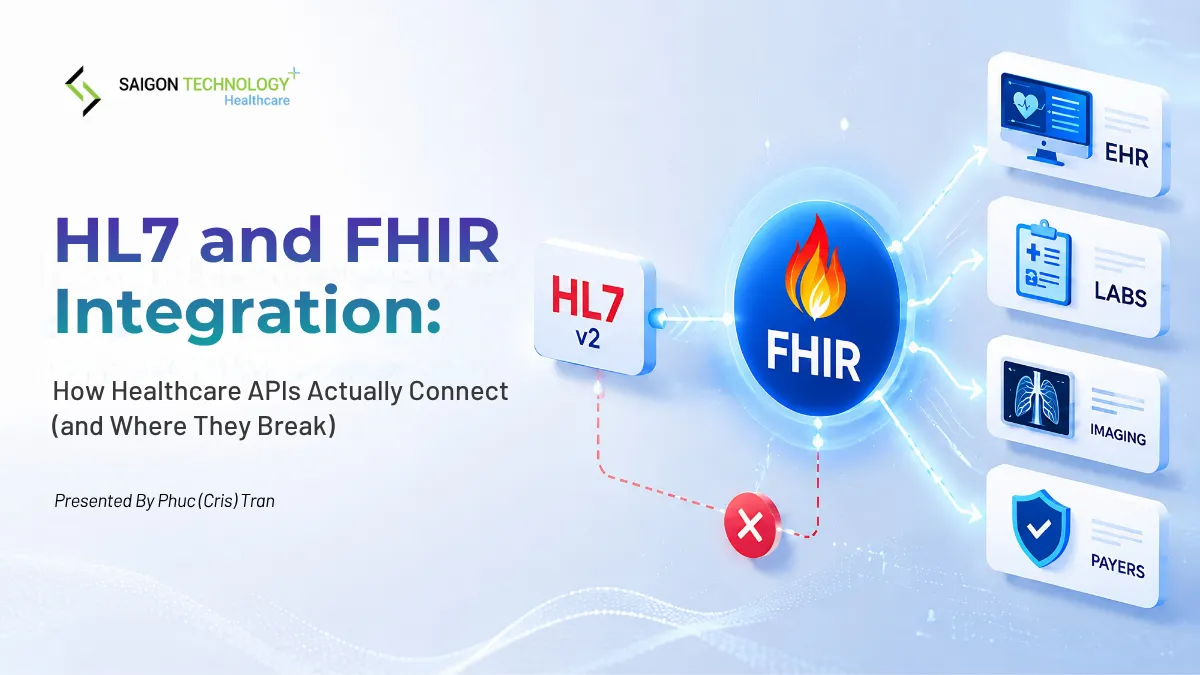
Integrating with EHR Systems on Mobile (FHIR, HL7)
EHR integration is where healthcare mobile projects most often go over budget and over schedule. It consumes 30 to 40% of total project complexity on mid-tier and enterprise builds.
FHIR R4 on Mobile
FHIR R4 is mandated under the US 21st Century Cures Act for certified EHR technology. On mobile, integration works through the SMART on FHIR App Launch Framework 2.0.0, which handles OAuth 2.1 authentication and launches the app within the EHR’s patient context.
Three things to know before starting:
- OAuth 2.1 scopes determine what your app can read or write. Review them with the EHR vendor and compliance team upfront.
- SMART app launch lets the app open directly from the EHR, pre-loaded with the current patient. This is the lowest-friction path for provider-facing apps.
- FHIR R4 conformance testing against the EHR sandbox is required before any vendor grants production access. Budget 4 to 6 weeks.
Full spec at hl7.org/fhir/R4.
HL7 v2.x: When Legacy Integration Is Unavoidable
Many community hospitals and specialty clinics still run HL7 v2 rather than FHIR. The standard approach is to proxy v2 through a backend integration engine (Mirth Connect, Rhapsody) and expose a REST API to the app. Budget 90 to 120 days minimum.
DICOM on Mobile
- Server-side rendering (recommended default): the DICOM file stays on a HIPAA-compliant server and the app displays a pre-rendered image. Less PHI on-device, no memory constraints.
- Native rendering: needed when clinicians must manipulate images in real time. Libraries like fo-dicom support this but add audit complexity.
EHR Vendor Developer ProgramsÂ
| Vendor | Program | Timeline |
| Epic | App Orchard, SMART on FHIR, security questionnaire required | 6 to 12 weeks |
| Oracle Health (Cerner) | Cerner Code, strong FHIR implementation | 4 to 8 weeks |
| Athenahealth | Developer Portal, FHIR R4, lighter-weight process | Faster than Epic or Cerner |
Start the vendor approval process in parallel with development, not after it.Â
Security and On-Device Privacy
Security in a healthcare mobile app is not a feature. It’s the architecture. Every component that touches PHI has a corresponding control requirement.
Credential Storage
On iOS, credentials go in the iOS Keychain. On Android, the Android Keystore ties cryptographic keys to device hardware. Neither should be readable via backup or accessible to other apps.
Encryption
AES-256 at rest for any PHI stored locally. TLS 1.3 in transit; older versions must be explicitly disabled. Certificate pinning blocks man-in-the-middle attacks, especially critical for RPM apps on patient home Wi-Fi.
Device Integrity
Implement jailbreak and root detection to block access from compromised devices. Anti-tampering controls verify the app binary has not been modified after signing.
Additional Controls
- PHI on-device should be encrypted with biometric-bound keys for secure access
- Screen-recording prevention: use UIWindow secure flag on iOS and FLAG_SECURE on Android to block screenshots on PHI screens. A frequently missed control in HIPAA audits.
- MDM compatibility: support enrollment, remote wipe, and policy-driven configuration for Jamf, Microsoft Intune, and VMware Workspace ONE
What to Ask Any Vendor
A vendor claiming HIPAA-grade security should produce these within five business days:
- Security architecture diagram with data flow annotations
- Threat model covering the OWASP Mobile Top 10
- Recent penetration test results from a third-party firm
- ISO/IEC 27001 certification from an accredited body (e.g., BSI). Self-attestation is not equivalent.
If a vendor cannot produce these documents, that is the answer
How to Develop a Healthcare App: 7-Step Process
This seven-step process separates real healthcare mobile app development from a generic mobile build. Compliance, clinical context, and EHR integration shape every step. They are not gates you pass through at the end.
Step 1: Market and user research
Before a single screen gets designed, you need to understand who uses the app, what clinical problem it solves, and what regulatory category it falls into. We typically run 8 to 12 stakeholder interviews across patients, providers, and administrators. The output is a problem statement, a target user profile, and a regulatory scope decision.
Step 2: Define MVP scope and feature prioritization
Healthcare projects scope-creep faster than any other vertical because every clinician has a wishlist. Use a strict MoSCoW framework. Cut anything that doesn’t directly enable the core clinical or patient workflow. Save the rest for v2.
Step 3: UX/UI design with WCAG 2.1 accessibility
Healthcare apps serve older patients, visually impaired users, and people in stressful moments. WCAG 2.1 AA compliance isn’t optional. Color contrast, font scaling, screen reader support, and large tap targets all need to ship from day one. Retrofitting accessibility later costs 3 to 5x more than designing for it.
Step 4: Choose tech stack and architecture
The stack decision locks in performance, security posture, and maintenance cost for years. We’ll cover the specifics in the next section. The high-level call is native vs cross-platform, and which cloud platform you commit to. Both choices have HIPAA implications.
Step 5: Develop with HIPAA and GDPR by design
Compliance cannot be a phase. Encryption, access control, audit logging, and consent management must live in the architecture from sprint one. Using Agile with healthcare-specific Definition of Done criteria ensures compliance is verified each sprint, not audited at the end. Read more about our HIPAA compliant software development approach.
Step 6: Test for function, security, usability, and compliance
Healthcare apps need four parallel test tracks: functional QA, security testing (penetration tests, SAST, DAST), usability testing with real clinicians and patients, and compliance auditing against HIPAA, FDA, or local equivalents. Skip any one and you will find the gap after launch. Our healthcare application testing process covers all four tracks in detail.
Step 7: Launch, maintain, and iterate
Healthcare apps don’t reach “done.” OS updates, security patches, EHR vendor API changes, and regulatory amendments hit every quarter. Plan for ongoing maintenance from the start. The teams that treat post-launch as an afterthought are the ones that get breach disclosures two years in.
Before launch, budget 2 to 4 weeks for App Store and Google Play medical category review. Apple may route healthcare apps through additional expert review before approval. Google Play requires health apps to complete data safety declarations. Submit early as review timelines for medical apps are longer than standard app categories.
Need to scope a healthcare app build for your team? Talk to our engineers about how we approach the seven steps for US-based clinical clients.
Healthcare Mobile App Development Cost
Healthcare mobile app development cost varies with feature scope, platform count, compliance burden, team location, and EHR integration complexity. The ranges below reflect real project scopes, not rate card estimates.
| Project Type | Typical Cost (USD) | What You Get |
| MVP, single platform, limited compliance | $50,000 – $150,000 | Core features, one platform (iOS or Android), basic HIPAA readiness, no EHR integration |
| Mid-complexity, both platforms, full HIPAA | $150,000 – $300,000 | iOS and Android, full HIPAA compliance audit, one EHR integration via FHIR R4 |
| Enterprise, EHR-integrated, SaMD-class | $300,000 and up | Multi-tenant architecture, FDA clearance pathway, deep EHR integration with Epic or Cerner |
What Drives Cost Up
- Platform count: iOS and Android together add 30 to 40% versus a single platform
- EHR integration: One FHIR R4 integration adds $40,000 to $80,000 and 90 to 120 days
- Compliance depth: Full HIPAA audit, penetration testing, and BAA management add significant overhead
- Team location: US in-house runs $120 to $180 per hour; offshore Vietnam with HIPAA-grade credentials runs $28 to $46 per hour (Saigon Technology, 2025)
These ranges reflect 170+ mobile projects we have shipped. The only credible quote is one written against your specific requirements document.
From Start to Finish: How Long It Really Takes
| Project Type | Timeline |
| MVP, single platform, limited compliance | 3 to 5 months |
| Full HIPAA-compliant production launch, both platforms | 6 to 10 months |
| SaMD-classified app with FDA clearance | 12 to 18 months |
What Stretches Timelines
Late EHR integration scoping. EHR vendor approval alone takes 6 to 12 weeks. Teams that treat integration as a later phase consistently hit this wall mid-project. Start the vendor approval process in week two, not week twelve.
App Store medical review cycles. Health apps face additional scrutiny from Apple’s review team. What takes 1 to 3 days for a consumer app can take 2 to 4 weeks for a medical category app. Build this into the launch timeline from day one.
Security audit findings. Penetration test results arriving at week sixteen of a twenty-week project push launch by four to six weeks. Run security testing in parallel with development starting in sprint three or four, not as a final gate.
How to Compress the Timeline
Running compliance documentation, security architecture, and feature development in parallel tracks rather than sequentially can reduce overall development time by approximately 40%. In the AxiaGram engagement, this approach cut delivery time significantly compared to a traditional sequential build.
Monetization Models for Healthcare Mobile Apps
Revenue model selection in healthcare is constrained by regulation and by how healthcare organizations actually buy software. The wrong model kills adoption before launch.
Models That Work
| Model | Best For | How It Works |
| B2C subscription | Mental health, chronic disease, women’s health apps | $10 to $30 per month per patient. Works when the app delivers ongoing value between clinical visits. |
| B2B licensing | Clinical tools, EHR-adjacent apps | Annual contracts per provider seat or location. Predictable recurring revenue, lower churn than B2C. |
| Pay-per-consultation | Direct-to-consumer telehealth | Patients pay per video visit or async message. Margins depend on clinical staffing costs. |
| CMS RPM reimbursement | Remote patient monitoring apps | CMS reimburses under CPT codes 99453, 99454, 99457, 99458. 2026 rates range from ~$19 (one-time setup) to ~$48 per month. Turns the app into a billable clinical service. |
| White-label SaaS | Teams with compliance infrastructure in place | Build once, sell to multiple health systems under their branding. Higher upfront cost, significant revenue multiplier. |
What Does Not Work
Ad-supported models with PHI. Serving targeted ads based on health data violates HIPAA and the FTC Health Breach Notification Rule. There is no compliant path to ad-supported monetization if the app handles PHI.
Freemium with paywalled safety features. Gating medication reminders, crisis resources, or symptom alerts behind a paid tier creates regulatory and ethical exposure. If a feature affects patient safety, it cannot sit behind a paywall.
Choosing the Right Engineering Partner
Choosing the wrong vendor is not just a delay. It is a HIPAA violation, an FDA recall, or an app that has to be rewritten from scratch. See how our healthcare software development practice approaches each of these criteria.


1. Healthcare domain experience
What to look for: A vendor with experience shipping at least 3 healthcare apps for US/EU clients, with measurable results (e.g., retention, clinical outcomes).
Red flag: A portfolio that’s mostly “wellness” or “fitness” apps. Those don’t carry regulated PHI and don’t prove healthcare competence.
Green signal: The vendor has worked directly with clinical stakeholders (doctors, nurses).
2. Compliance and security capability
What to look for: HIPAA-trained engineers (Privacy Rule plus Security Rule training, not just “we know HIPAA”), ISO 27001 certification, and a willingness to sign a Business Associate Agreement (BAA) before development starts.
Red flag: “We follow best practices” with no documentation, no audit logs, and no incident response plan.
Green signal: The vendor can produce a security architecture diagram, threat model, and recent penetration test results within five business days of request.
3. EHR, FHIR, and HL7 integration experience
What to look for: Proven integration with at least two major EHRs (Epic, Oracle Health/Cerner, Allscripts, athenahealth) or passed FHIR conformance testing. Engineers who understand SMART on FHIR, CDS Hooks, and USCDI.
Red flag: A team that treats EHR integration as “just another API.” EHR work typically consumes 30 to 40% of project complexity.
Green signal: They can walk you through a SMART on FHIR OAuth flow on a whiteboard and show sandbox test results from Epic App Orchard or Cerner Code.
4. Post-launch maintenance and continuous compliance
What to look for: A vendor that treats maintenance as ongoing, not a 3-month warranty. OS upgrades, security patches, HIPAA amendments, and EHR API deprecations hit every quarter.
Red flag: The maintenance package is “3 months free, then self-service.”
Green signal: Documented SLAs (response times for P1, P2, P3 issues), a dedicated maintenance team, quarterly compliance review, and a zero-day response process.
5. Communication, timezone, and cultural fit
What to look for: At least 4 hours of timezone overlap with your team, C1-level English fluency from the tech lead and PM, and proactive escalation.
Red flag: All communication routes through a sales account manager. You never talk to the engineers building your app.
Green signal: The tech lead joins sprint planning, you have a direct Slack or Teams channel with engineers, and you see working software demoed weekly.
FAQ
How much does it cost to build a HIPAA-compliant healthcare mobile app in the US?
Cost depends on compliance scope, platform count, and EHR integration complexity:
| Tier | Scope | Range |
| Tier 1 | Wellness MVP, no PHI, no EHR | $50,000 to $80,000 |
| Tier 2 | HIPAA-grade MVP, PHI, BAAs, audit logging | $80,000 to $150,000 |
| Tier 3 | Production HIPAA app with EHR integration | $180,000 to $350,000 |
| Tier 4 | SaMD-classified app, FDA clearance pathway | $400,000 and up |
US in-house engineering runs $120 to $180 per hour. Offshore Vietnam teams with HIPAA-grade credentials run $28 to $46 per hour.
Do healthcare apps need to be HIPAA compliant?
Not all of them. HIPAA applies when your app handles PHI on behalf of a covered entity. Consumer wellness apps may escape HIPAA but still fall under the FTC Health Breach Notification Rule. If your app could touch PHI at any point, build for HIPAA from day one.
What is FHIR and why does it matter?
FHIR (Fast Healthcare Interoperability Resources) is the modern standard for exchanging healthcare data between systems. FHIR R4 is mandated under the US 21st Century Cures Act for certified EHR technology. Any app integrating with an EHR requires FHIR fluency from the engineering team.
Do I need FDA approval for my health app?
Only if your app qualifies as Software as a Medical Device (SaMD). The FDA evaluates what the app does, not what it is called. Apps that diagnose, treat, or guide clinical decisions typically trigger FDA oversight. When uncertain, request a free pre-submission meeting with the FDA’s Digital Health Center of Excellence.
Native vs. cross-platform: which is better for healthcare apps?
- Cross-platform (React Native or Flutter) suits most patient-facing apps. Faster to ship, lower cost, single codebase for iOS and Android.
- Native (Swift / Kotlin) is the right call when you need deep device access: HealthKit, Android Health Connect, secure enclave, real-time medical imaging, or low-latency Bluetooth with medical devices.
- Hybrid combines both: cross-platform for the main app with native modules for device-specific features.
How long does it take to launch an iOS and Android healthcare app?
- MVP, single platform: 3 to 5 months
- Full HIPAA-compliant launch, both platforms: 6 to 10 months
- SaMD-classified app with FDA clearance: 12 to 18 months
The biggest risks are late EHR scoping, App Store medical review cycles (2 to 4 weeks), and security audit findings discovered too late in the build. Running compliance work in parallel with development cuts delivery time by approximately 40%.
Can a healthcare mobile app work offline while staying HIPAA-compliant?
Yes, with three requirements in place: PHI cached on-device must be AES-256 encrypted with biometric-bound keys, offline changes must sync securely without data loss, and audit logs must capture offline actions and sync to the server when connectivity resumes.
What’s the difference between mHealth apps and telemedicine apps?
mHealth is the broader category covering any health-related mobile app: wellness tracking, medication reminders, RPM, chronic disease management. Telemedicine is a subset that specifically enables clinical consultations between patients and licensed providers.
| mHealth | Telemedicine | |
| Primary function | Health tracking and monitoring | Live or async clinical consultation |
| Clinical interaction | Optional | Required |
| Regulatory burden | Varies by PHI involvement | Full HIPAA plus state telehealth laws |
A telemedicine app is always an mHealth app. An mHealth app is not always a telemedicine app.
Conclusion
Healthcare mobile app development sits at the intersection of clinical workflow, regulated data, and consumer-grade UX expectations. The teams that ship successfully treat compliance, EHR integration, and post-launch maintenance as first-class engineering problems, not afterthoughts. They scope MVPs ruthlessly, choose stacks with HIPAA eligibility in mind, and pick vendors who can prove healthcare experience instead of claim it.
If you are planning a healthcare app and want a team that has shipped 170+ mobile apps with ISO 27001-certified processes and US-overlapping timezone coverage, talk to our experts. We will walk through your scope, your target markets, and the compliance pathway before any contract.