




Hybrid App Development: A Practical Decision Guide for Businesses

 Updated on Jan 27, 2026
Introduction (TL;DR for busy decision-makers)
If your business needs mobile app development on both iOS and Android, hybrid app development can be a strong option, especially when you want a shared codebase, faster time to market, and simpler ongoing maintenance.
What tends to go wrong is not the technology itself. It’s unclear expectations like “single codebase means no native work,” or “hybrid apps are always cheaper and just as fast as native.”
Use this guide to make a decision based on constraints, not hype:
- Hybrid apps can be cost-effective when your app is workflow-driven (forms, approvals, content, dashboards) and your “must-have” device integrations are achievable via plugins/native modules.
- Hybrid can be risky when your product’s differentiation depends on deep performance (advanced camera/video pipelines, AR, heavy animations, real-time processing).
- The best hybrid outcomes come from governance, not magic frameworks: a well-shaped hybrid app development team plus a small iOS/Android enablement layer for store releases, plugins, and edge cases.
What is a hybrid app?
A hybrid app (or hybrid mobile app) is an application that runs on mobile operating systems (iOS and Android) using a mix of web technologies and native capabilities. Most hybrid application development approaches aim for:
- Cross-platform compatibility (ship to iOS + Android)
- A shared codebase/single codebase
- Faster iteration and easy maintenance
- A path to “native-enough” user experience (UX) without fully separate native teams
But “hybrid apps” come in multiple architectures, and the architecture determines performance, tooling, and how much native code you’ll still need.
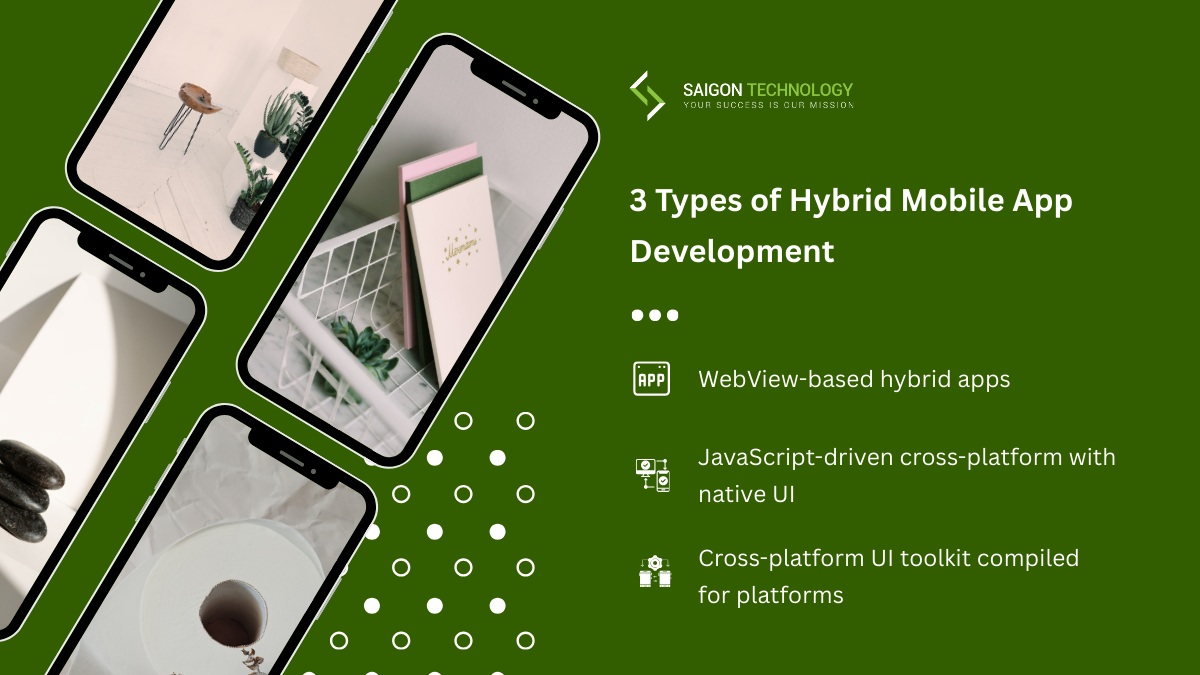
Define the landscape: 3 common types of hybrid mobile app development
When stakeholders say “hybrid,” they often mean “not two separate native apps.” For decision support, it helps to use these three buckets.
1) WebView-based hybrid apps (classic hybrid)
The UI is a web app (HTML5/CSS/JavaScript) displayed inside an embedded browser (a WebView) hosted by a native shell.
On iOS, a common component is WKWebView (Apple describes it as a platform-native view that displays interactive web content).
Typical stack: Ionic + Capacitor/Cordova, plus a UI library and web technologies.
Strengths
- Very fast to build for teams strong in web technologies
- Great for content-heavy experiences and form workflows
- Strong “web-first” iteration cadence
Watch-outs
- Performance limits for complex UI, animation, and large lists
- More dependency on plugins for device features
- Higher risk of being perceived as “just a website in an app” (which matters for store review and user perception)
2) JavaScript-driven cross-platform with native UI (often labeled hybrid)
UI is composed of native UI controls, while logic is in JavaScript/TypeScript.
Example: React Native (and its ecosystem).
React Native’s documentation explains how native modules / modern module systems (e.g., Turbo Native Modules) bridge device functionality. (React Native)
Strengths
- Often delivers a more “native-like UI” than WebView wrappers
- Large ecosystem of libraries and plugins
- Usually a good fit for consumer apps and complex flows
Watch-outs
- Debugging across the JS/native boundary can be non-trivial
- Tooling/build complexity (two platforms + the bridge)
- You still need some platform-specific development in Swift/Objective-C and Kotlin/Java for edge features
3) Cross-platform UI toolkit compiled for platforms (also commonly labeled hybrid)
UI is rendered by the framework; the app ships as a platform binary.
Example: Flutter.
Flutter’s documentation states that, for release, Flutter apps compile directly to machine code (or to JavaScript for web targets).
Strengths
- High UI consistency across platforms
- Strong developer productivity for custom UI and interactions
- Predictable rendering and smooth animations when well-built
Watch-outs
- “Framework lock-in” is real (your UI layer depends heavily on the framework)
- Some native integration is still required for deep OS features
- You need disciplined architecture/interface design to avoid monolith UI logic
Hybrid vs native vs PWA: what changes for outcomes?
Hybrid app vs native mobile app development
Native app development uses the platform’s native development language and tooling:
- iOS: Swift / Objective-C
- Android: Kotlin / Java
Native gives you the best platform fidelity, fastest access to the newest OS capabilities, and often the lowest risk for performance-critical features. The trade-off is duplicated effort and coordination across two codebases.
Hybrid app vs Progressive Web App (PWA)
Progressive web apps (PWAs) run in the browser and can be installed. They’re excellent for:
- Fast deployment (web-style)
- Broad device reach
- Early proof-of-concept and minimum viable product validation
But platform restrictions vary by OS/browser, and some deep device integrations (or background behaviors) are more constrained than “real apps.”
Common enterprise pattern: validate a workflow as a PWA, then move to a hybrid mobile app when you need app store distribution, stronger device access, or better offline/notification behavior.
Comparison table: choose your hybrid mobile app development framework by risk, not hype
| Option | Typical stack | Where it’s strong | Primary risks | Best-fit examples |
| WebView-based hybrid | Ionic + Capacitor/Cordova, web apps | Fast iteration, web skills reuse, cost-effective delivery | Performance ceilings, plugin dependency, “website wrapper” perception | Internal tools, portals, forms, and content apps |
| React Native | JS/TS + native UI + native modules | Native-like UI, mature ecosystem, strong multi-platform support | Boundary bugs, build complexity, and some native work are required | Consumer apps, marketplaces, standard mobile UX |
| Flutter | Dart + Flutter UI toolkit | Consistent UI, high productivity, smooth custom UI | Framework lock-in, native integration work for edge cases | Brand-heavy apps, complex UI, multi-platform suites |
| Fully native | Swift/Obj-C + Kotlin/Java | Maximum performance and platform control | Higher cost and staffing complexity | AR, heavy media, best-in-class platform experiences |
If procurement asks, “Is it a single codebase?” a more honest answer is:
“Mostly single codebase, plus planned native work for app stores, device features, and platform edge cases.”
App store reality: hybrid success depends on “app-like” utility
Two store facts matter for hybrid apps:
- Apple explicitly warns against repackaged websites. Apple’s App Store Review Guidelines say under 4.2 Minimum Functionality that apps should elevate beyond a repackaged website and be “useful, unique, or app-like.”
- Google Play requires basic functionality and respectful UX. Google Play policies state apps should provide a basic degree of functionality and a respectful user experience; crashing or non-functional behavior is not allowed.
Implication: WebView-heavy hybrid apps can pass review, but “thin wrapper” implementations increase risk. If you go WebView-based, add native value (offline, notifications when appropriate, device integrations, real app navigation, and reliable performance).
Practical decision questions
Q1) What is the core value of your app: workflow speed or experience differentiation?
If you’re building a workflow tool (approvals, inspections, claims, field service), hybrid app development is often ideal: it’s faster, more cost-effective, and easier to keep feature parity across platforms.
If your differentiation is experience quality (advanced camera/video, real-time AR, high-FPS animations), you should lean native or hybrid with a native-first core.
Q2) What native features are mandatory?
Make a “must-have” list. Typical high-impact items:
- Notifications
- Camera/scanning (device, microphone, and cameras)
- Biometrics (face recognition, fingerprint scan)
- Secure storage and device security features
- Offline queueing and sync
- Background tasks (if required)
- Hardware integration (device tilt, special sensors)
If your must-have list includes cutting-edge OS features or heavy background behavior, native risk drops and hybrid risk rise.
Q3) What is your target audience and device reality?
A consumer app for a broad public has harsh device compatibility needs: low/mid-range phones, older OS versions, and variable networks. An internal enterprise app can sometimes narrow the device matrix and reduce test complexity. The same hybrid approach can succeed in one environment and struggle in the other.
Q4) How quickly must you ship, and how often will requirements change?
Hybrid mobile development shines when the roadmap changes weekly, and you need one team to ship consistently across platforms.
Q5) Do you have the right team shape?
Even with a hybrid app developer (or a team of hybrid app developers), you still need:
- a cross-platform core team
- plus iOS/Android specialists for platform-specific development and store releases
This “platform enablement” function is what keeps hybrid apps from becoming fragile.
What hybrid app development looks like in practice (a realistic operating model)
A healthy hybrid app development team usually splits responsibilities like this:
1. Product + UX design
Define “native-like UI” expectations: navigation, gestures, UI controls, accessibility
Ensure intuitive UI designs that match platform conventions where it matters
2. Cross-platform app team
Builds most features in the shared layer (UI + business logic)
Owns testing and debugging, feature delivery, bug fixing, and performance regression prevention
3. Platform enablement (small iOS/Android function)
- Owns native modules/plugins (camera, biometrics, deep links, push)
- Handles app store submission nuances and platform restrictions
- Maintains native build configuration and CI/CD signing
If you skip #3, hybrid projects often stall later when device features and app store compliance become bottlenecks.
Metrics you can actually use (and how to apply them without turning it into a science project)
You don’t need 50 KPIs. For hybrid apps, I recommend a small set that ties to business outcomes and technical risk:
1. Crash-free sessions
Goal: reduce release risk and support costs
Apply: track crashes per release; block rollout if crash rate spikes
2. Startup time (cold start)
Goal: perceived quality and adoption
Apply: measure on representative low/mid devices and real networks
3. Responsiveness (scroll + tap latency)
Goal: user experience and productivity
Apply: pick 2–3 “hot screens” (lists, search, forms) and track regressions
4. Release cycle time
Goal: time to market
Apply: measure from “code complete” to store-ready build; identify bottlenecks (often signing, store metadata, review delays, or manual testing)
These metrics are useful regardless of the framework. They’re also verifiable and actionable.
Common pitfalls (and how to avoid them)
Pitfall 1: Choosing a framework before defining constraints
Teams often pick React Native, Flutter, or Ionic because someone likes it. Better process:
- list mandatory native features
- list top risk screens (heavy lists, complex gestures, offline sync)
- run a small proof-of-concept that covers the riskiest constraints first
Pitfall 2: Underestimating app store regulation and review dynamics
If you’re WebView-heavy, Apple’s “Minimum Functionality” rule is the red flag.
On Android, stability and adequate utility expectations are explicit in policy.
Avoidance: treat app store readiness as an engineering deliverable:
- permissions minimization
- privacy disclosures and SDK hygiene
- reliable offline states and navigation
- solid “app-like” user experience
Pitfall 3: Plugin sprawl
Plugins unlock native features, but too many create:
- security and maintenance risk
- version conflicts
- fragile builds
Avoidance: keep a “plugin register”:
- why it exists, what permissions it uses, who owns it
- upgrade cadence and fallback plan
Pitfall 4: Performance surprises late in the program
Hybrid performance issues are hardest when they’re architectural:
- overly complex UI trees
- heavy WebView pages
- unbounded list rendering
- excessive bridging calls (where applicable)
Avoidance: performance gates early:
- measure cold start, scroll smoothness, memory usage by week 3–4
- run on low/mid devices, not only flagship phones
Pitfall 5: Test complexity grows faster than you expect
A single codebase still runs across many combinations:
- OS versions
- device sizes
- permission states
- network conditions
- App Store build types
Avoidance: automate basic testing and debugging:
- CI build pipeline for iOS and Android
- smoke tests for top flows
- staged rollouts and monitoring
Realistic examples (what hybrid is great at vs where it hurts)
Example A: Field service & inspections (excellent hybrid fit)
Needs: checklists, photos, signatures, offline queue, sync, push notifications.
Hybrid recommendation: React Native or Flutter.
Why: standard mobile patterns; limited advanced media; huge benefit from single codebase and easy scalability across regions.
Example B: Customer portal + account management (good WebView hybrid fit if done right)
Needs: content + forms, some offline caching, secure login, push (optional).
Hybrid recommendation: Ionic + Capacitor (Web Native approach) if your web team is strong and performance needs are modest. Capacitor positions itself as a cross-platform native runtime for web apps with access to native SDKs when needed.
Caution: do not ship a thin wrapper; app stores can reject “repackaged website” experiences.
Example C: Advanced camera/video, AR, intensive real-time UX (often native-first)
Needs: low latency, high FPS, deep device pipelines, newest OS features.
Recommendation: native mobile app development for the core experience; optionally hybrid for secondary screens (account/settings/content) if you want.
“What I’d do in your position” (role-based guidance)
If you’re a CEO
Fund a short proof-of-concept that answers risk, not “demo polish”:
- hardest device feature (e.g., camera + offline + upload)
- hardest screen performance (lists, search, gestures)
- store-ready build pipeline (signing, app store submission rehearsal)
Decide your success priority: time to market vs maximum native polish.
If you’re a CTO
Treat hybrid application development as an architecture program:
- API-first backend and clean boundaries (service-oriented architecture)
- consistent auth and offline sync strategy
- dependency governance (plugins/SDKs)
Plan for native escape hatches (Swift/Obj-C, Kotlin/Java) from day one.
If you’re Head of Product
Define the UX bar in plain terms:
- “native app-like experience” for navigation, responsiveness, accessibility
Use a hybrid to ship an MVP, but don’t postpone the risky features.
If you’re an Engineering Manager
Standardize:
- architecture/interface design patterns
- testing and debugging tooling
- release process (CI/CD, staged rollout, observability)
Budget time for bug fixing and device compatibility work every sprint.
If you’re Procurement
Ask for verifiable deliverables:
- framework choice rationale, and supported versions
- plugin list + ownership
- OS/device support policy
- release pipeline ownership and access
- a maintenance plan (security patches, dependency updates)
Decision checklist (printable)
Product fit
-
Core flows are workflow-driven (not performance-defined)
-
Target audience device reality is understood
-
UX requirements are documented (what “native-like UI” means)
Native features & constraints
-
Must-have native features are listed and prioritized
-
Platform restrictions are identified early
-
App store submission plan is part of the delivery plan (not “end phase”)
Engineering readiness
-
Team includes a hybrid core plus iOS/Android platform enablement
-
Plugin register exists (permissions, ownership, update plan)
-
CI/CD builds and signing are automated
-
Performance gates exist (startup, responsiveness, crash-free sessions)
Policy & quality reality
-
WebView-based designs avoid “repackaged website” risk per Apple guideline 4.2
-
Google Play expectations for stability and adequate utility are met
FAQ
1) Are hybrid apps cheaper?
Often, yes, because you reduce duplicate engineering across iOS and Android and improve maintenance efficiency. But “cheaper” depends on project complexity and how much native work is required for device features, performance, and app store demands. Hybrid is usually most cost-effective when requirements are broad but not deeply platform-specific.
2) Do hybrid apps have worse user experience?
They can, especially thin WebView wrappers. But React Native and Flutter can deliver a strong native-like UI when implemented with discipline, performance profiling, and platform-aware UX design. The outcome depends more on design and engineering practice than the label “hybrid.”
3) Can a hybrid mobile app access camera, biometrics, and notifications?
Yes, typically through plugins or native modules. React Native documentation covers native modules and modern module approaches (e.g., Turbo Native Modules) for bridging platform features.
4) Will Apple reject a WebView-based hybrid app?
Apple can reject apps that feel like repackaged websites under its Minimum Functionality guideline (4.2).
WebView apps can be approved if they deliver meaningful app-like utility and a good user experience—don’t ship a thin wrapper.
5) How do we choose between Ionic/Capacitor, React Native, and Flutter?
Use your constraints:
-
Strong web team and content/forms focus → Ionic + Capacitor can be a good fit; Capacitor positions itself as a native runtime for web apps.
-
Need native UI patterns and a big ecosystem → React Native
-
Need consistent UI across platforms and custom UI richness → Flutter (compiled to machine code in release builds).
6) What about Xamarin / older cross-platform stacks?
Microsoft states Xamarin support ended May 1, 2024 and recommends .NET MAUI.
If you’re evaluating options now, treat legacy frameworks as a migration topic, not a new-build default.
7) What’s the #1 reason hybrid projects fail?
Not performance. Not plugins. It’s unclear expectations: teams promise “single codebase, native experience, no trade-offs,” then get surprised by platform edge cases and store requirements. Hybrid wins when you plan for reality: a shared codebase plus platform enablement and governance.
Closing perspective
Hybrid app development isn’t a compromise; it’s a strategy. Done well, it delivers faster learning cycles, multi-platform support, and manageable long-term maintenance. Done poorly, it produces fragile apps that feel like wrappers, miss performance expectations, and fight app store regulations.
If you want a “next step” decision approach: run a 2–4 week proof-of-concept focused on the hardest constraints (native features, performance, store-ready pipeline). Make the decision with evidence, not preferences.
Need a second opinion on your specific app and constraints? Contact Saigon Technology to review your requirements and help you choose the right delivery model (hybrid vs native vs PWA), framework, and team structure, based on measurable risks, not hype.


Related articles
Testing of Mobile Application – Challenges and Best Practices
 Ha Phan - Quality Control Engineer
  07 May 2024
Unveiling the Stages of an Outsourcing Project: A Comprehensive Guide
13 Jun 2024 
How Much Does Custom Software Development Cost in 2026?
24 Oct 2024 
How Much Does It Cost To Make An App in 2026? An Ultimate Guide
07 Jan 2025 
Mobile App Development Process: A Ultimate Guide for Success
13 Jan 2025 
17 Mobile App Development Trends for 2026
21 Jan 2025 
Mobile Banking App Development: A Complete Guide
04 Feb 2025